
BEDROCK EDITION
Join ManaWind on Bedrock
Follow these four steps to add ManaWind to your server list.
1
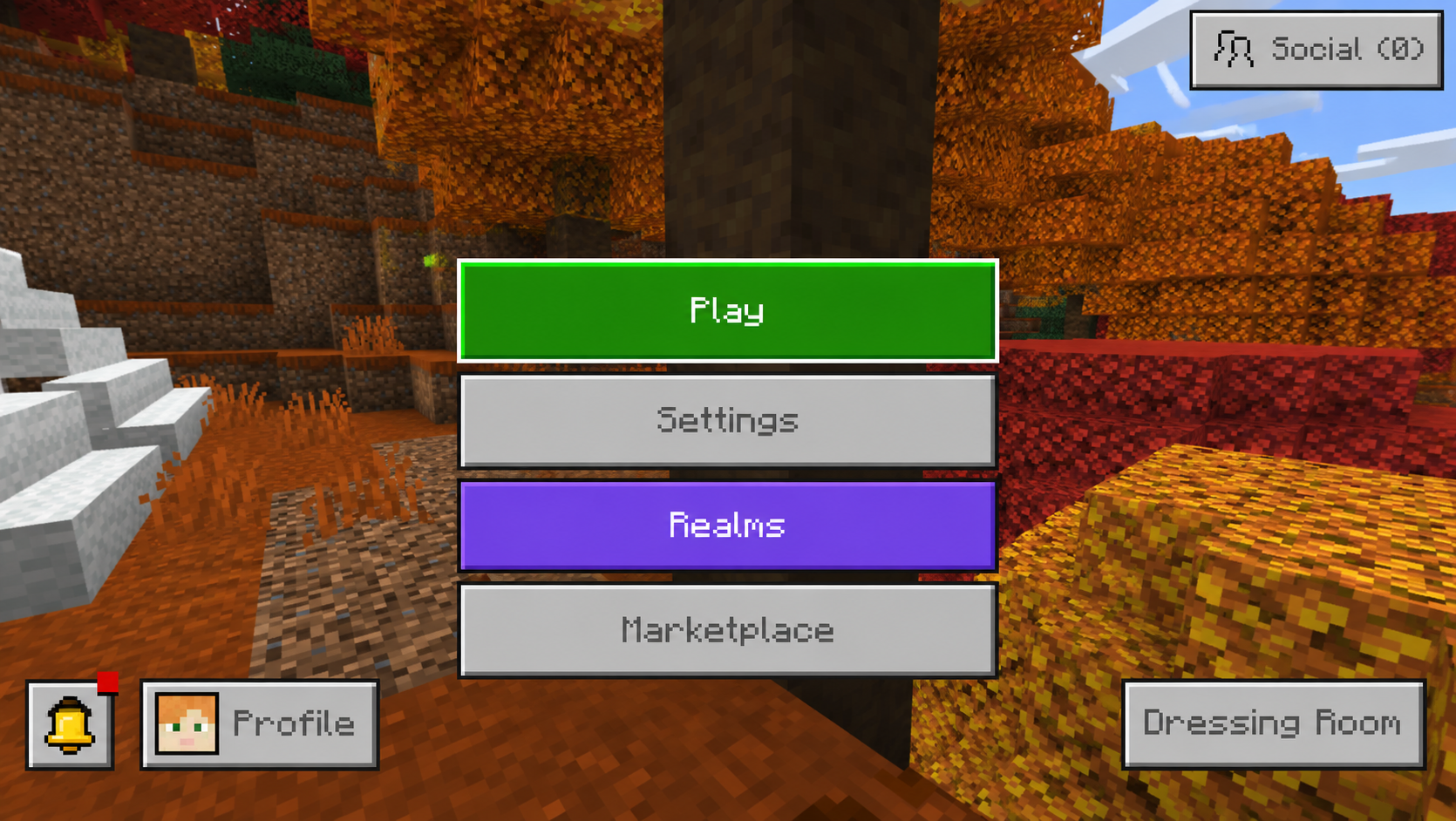
Select Play
Open Minecraft Bedrock Edition and select Play from the main menu.
2
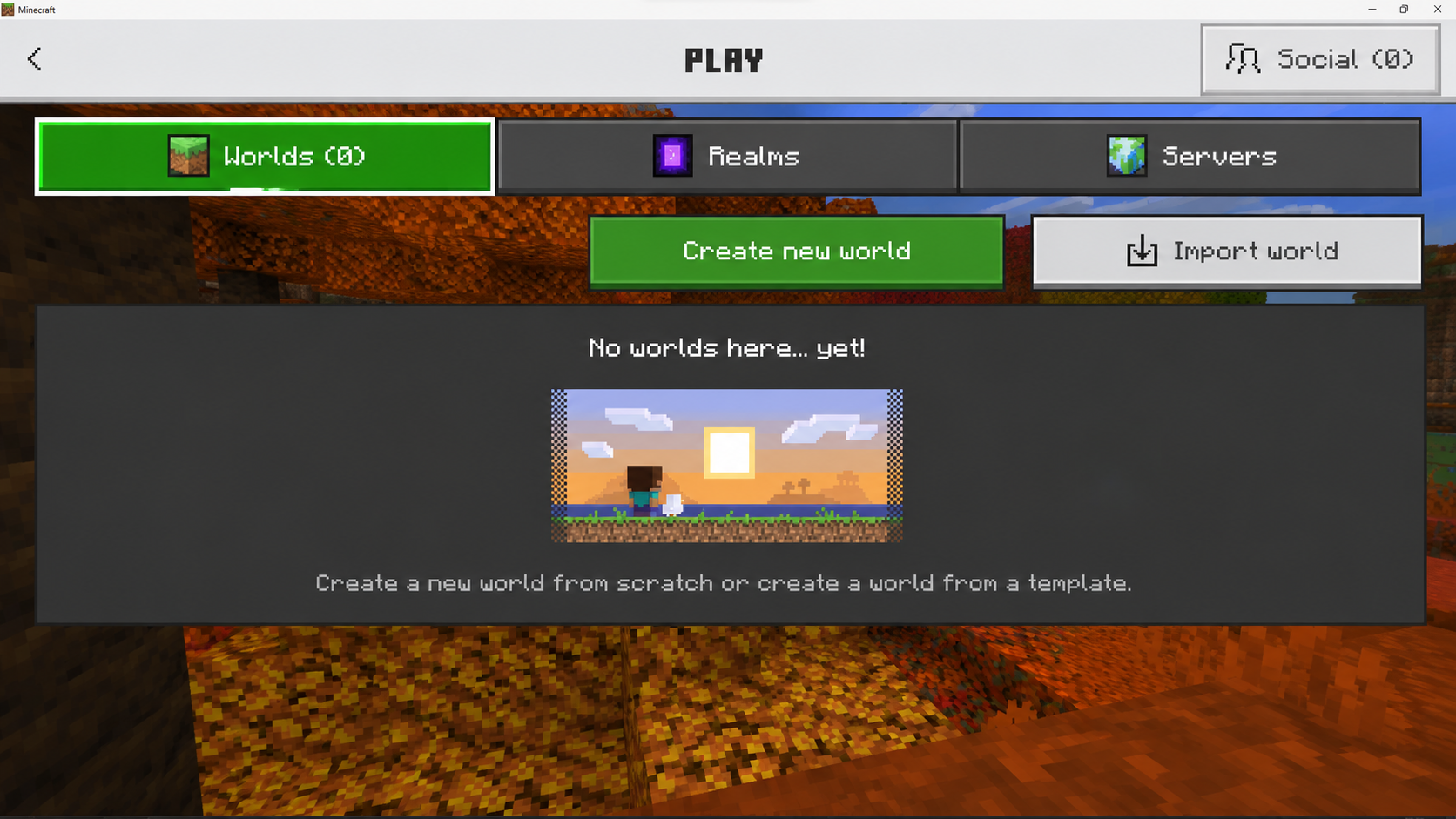
Open Servers
From the Play screen, select the Servers tab at the top.
3
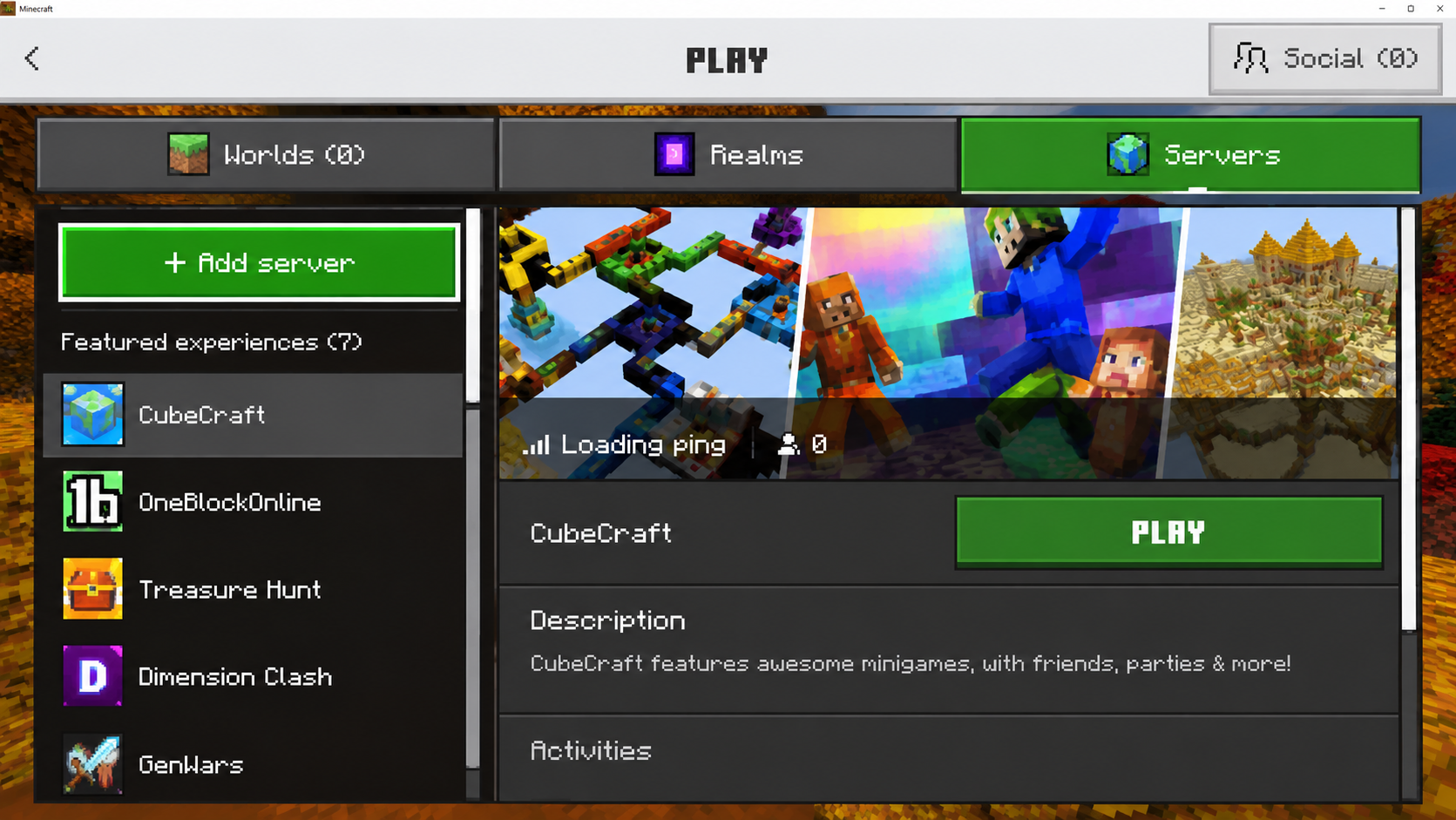
Add a Server
Select Add Server at the top of the server list.
4
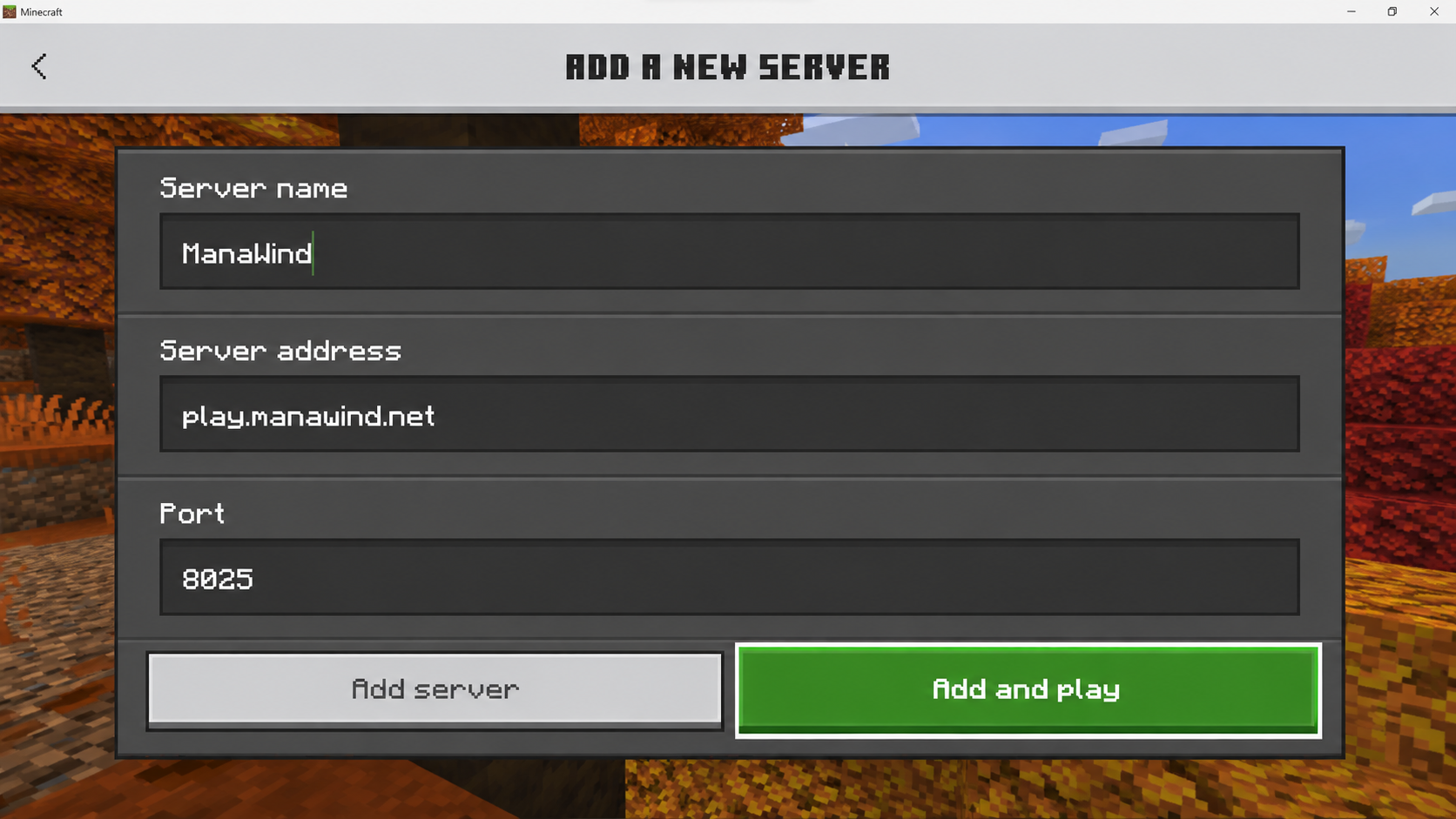
Enter the ManaWind Server
SERVER NAME
ManaWind
SERVER ADDRESS
play.manawind.net
PORT
8025
Once everything is entered, select Add and Play. You're in!

JAVA EDITION
Join ManaWind on Java
Follow these four steps to add ManaWind to your server list.
1
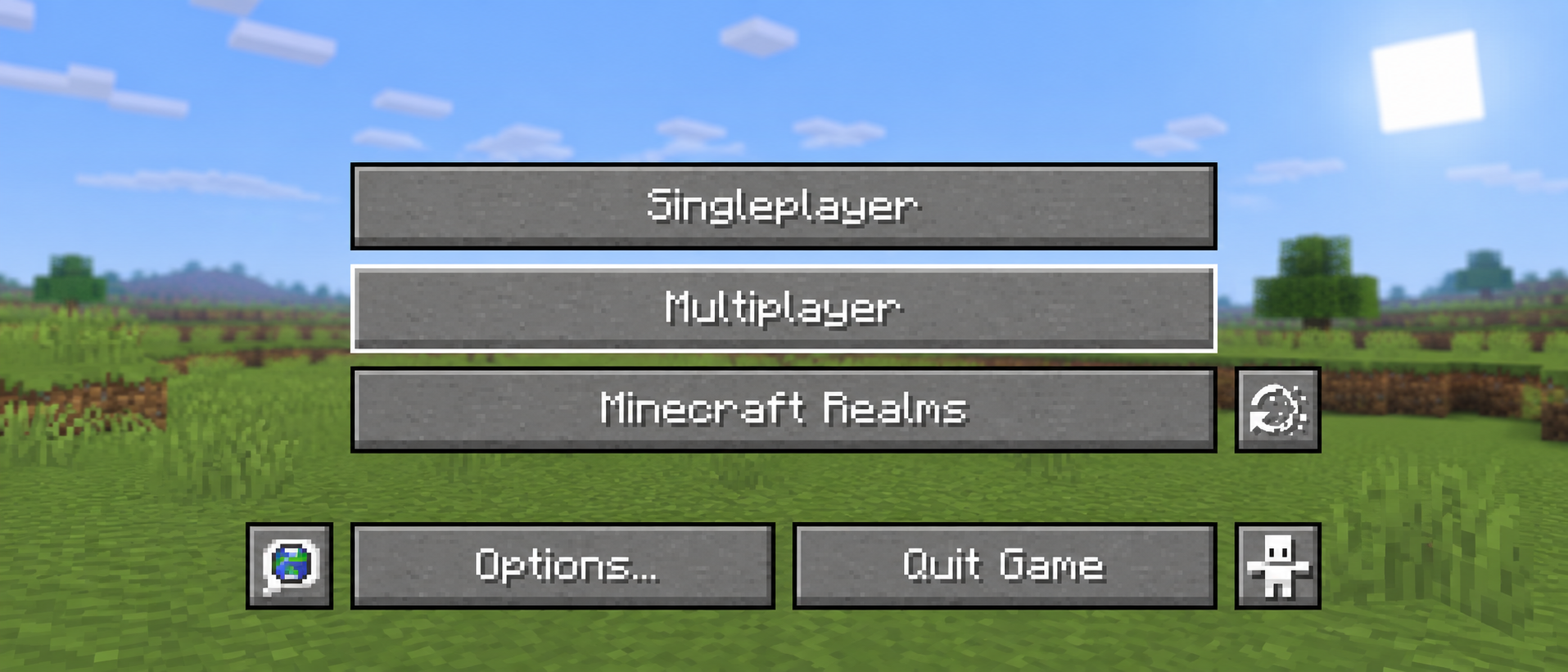
Open Multiplayer
Launch Minecraft: Java Edition and select Multiplayer from the main menu.
2
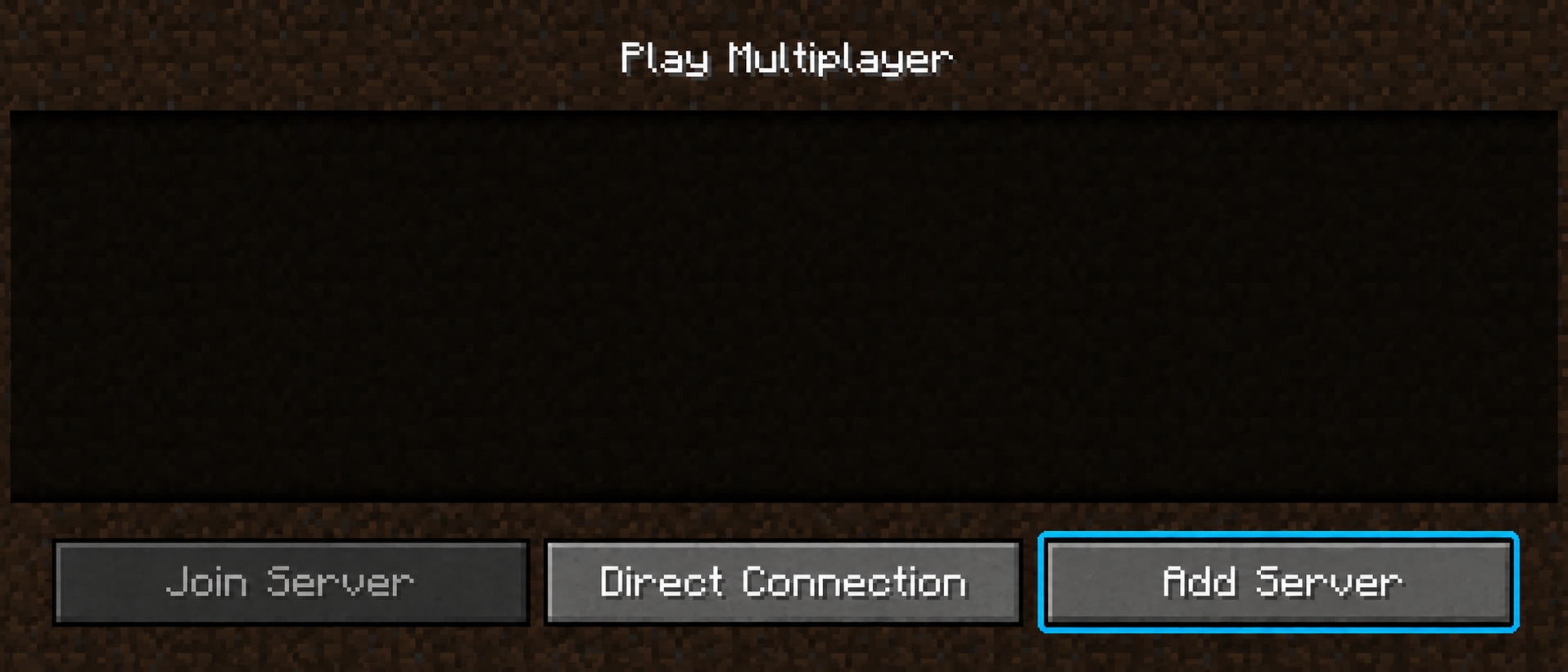
Add a Server
From the multiplayer screen, click Add Server.
3
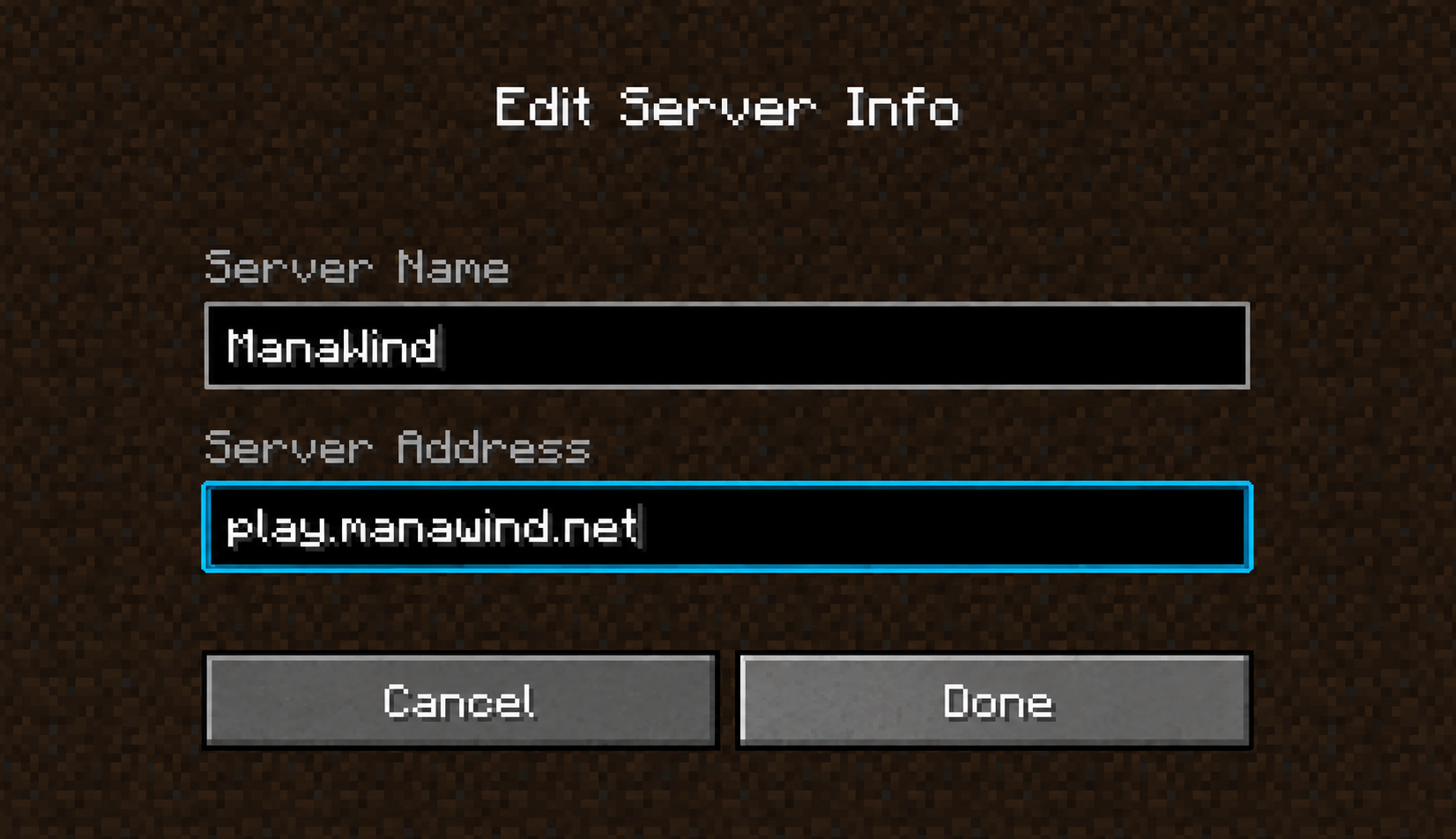
Enter the ManaWind Server
SERVER NAME
ManaWind
SERVER ADDRESS
play.manawind.net
Once everything is entered, click Done.
4
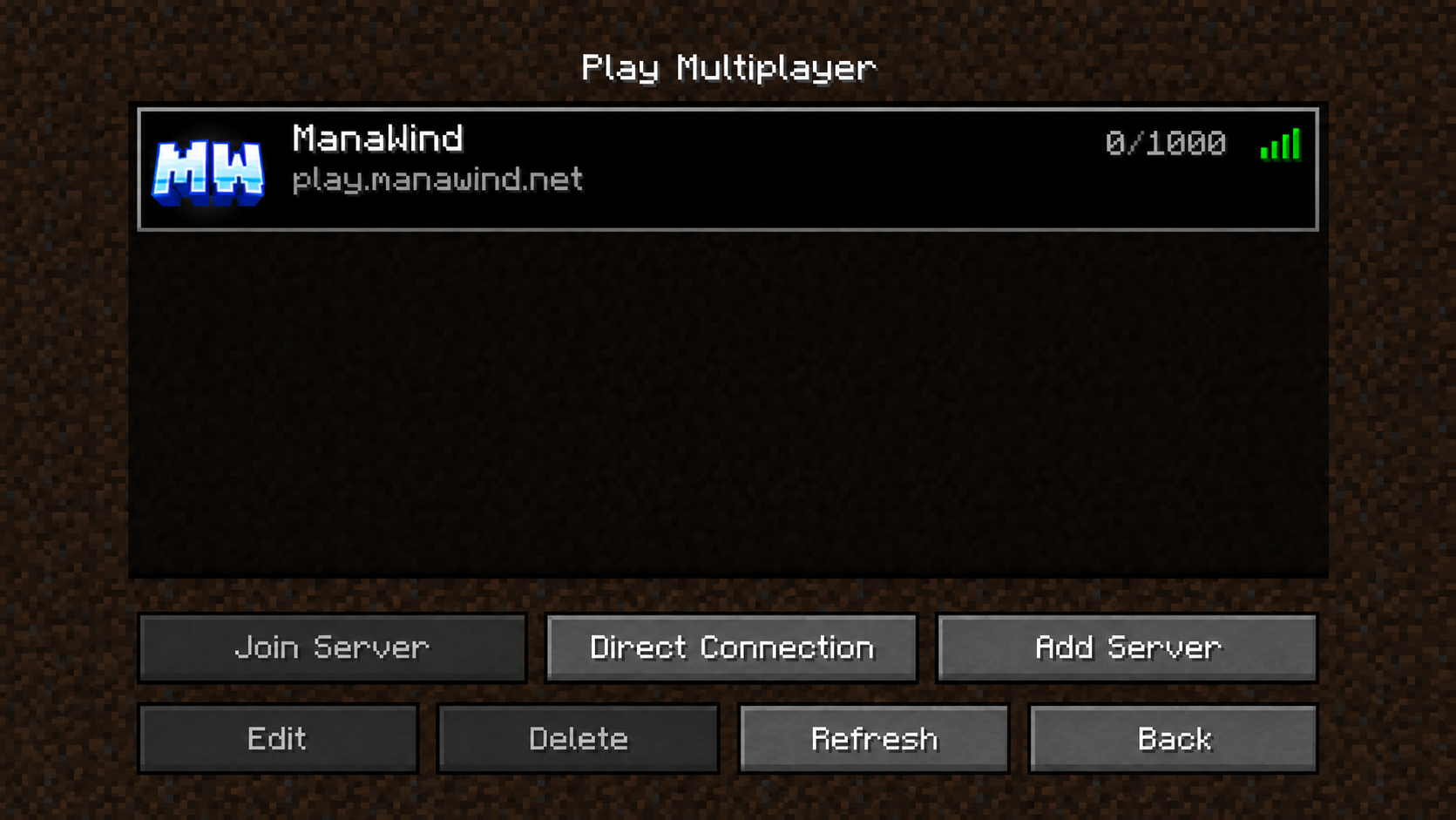
Join ManaWind
Select ManaWind from your server list and click Join Server. You're in!